
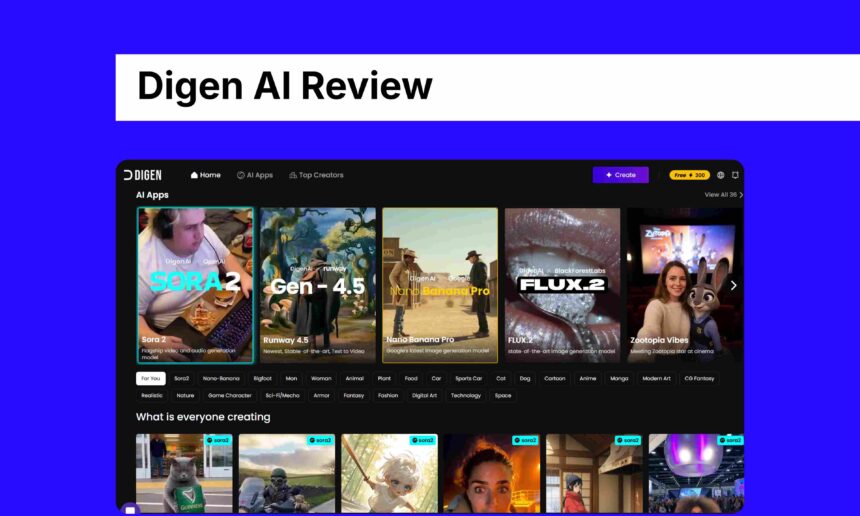
Hey everyone, I’ve been playing around with AI video generators for a couple of years now, mostly for quick social media clips and fun personal projects.
Recently, I spent a good amount of time on Digen AI, turning photos into animated videos and messing with their community features.
It’s become one of my go-to tools when I need something fast and free. I have tried to write an experience with Digen AI, let’s go in detail.
What is Digen AI?
Digen AI is basically a free AI video generator that lets you turn static images like a photo of your pet, a selfie, or any picture into short animated videos.
The main magic is in making those images move realistically, with things like talking heads, lip-sync to audio, and simple animations.
It’s got a big community side too, where millions of users share their creations, remix others’ work, and browse daily feeds of AI-generated stuff.
There’s a mobile app for Android and iOS, which makes it easy to create on the go. I started using it for silly meme videos, but it’s handy for Reels, TikToks, or even basic explainer clips.
Features of Digen AI
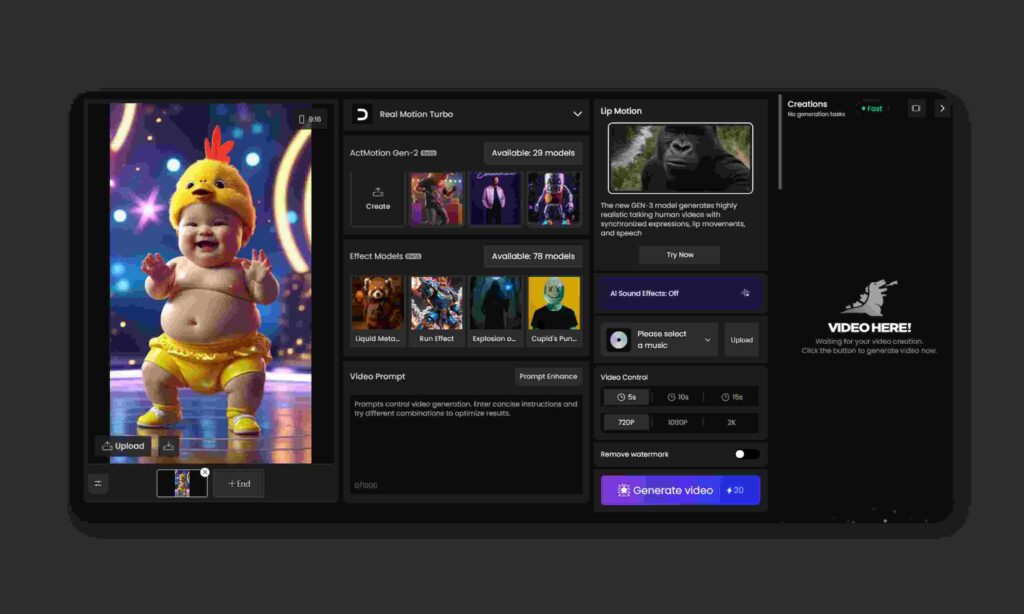
The platform keeps things simple, which I appreciate no overwhelming menus. Here’s what stands out from my daily use:
- Image-to-Video Animation: Upload a photo and add motion. Their RealMotion tech makes faces talk or characters move naturally. Great for bringing old photos to life.
- Lip-Sync and Multilingual Support: Add text or audio, and it syncs the mouth movements pretty accurately. Works in tons of languages, which is useful if you’re making content for different audiences.
- Community and Remixing: Browse what others are making, remix videos with one tap, and see global rankings. It’s inspiring and fun feels like a social network for AI creators.
- Extra Tools: Things like effect models, background music, third-party integrations (some advanced models), and even basic image editing. No watermarks on exports, which is a big plus.
- App Experience: The mobile app is smooth for quick generations, with fast saves and background exports.
Overall, it’s beginner-friendly. No editing skills needed just upload, prompt, and generate.
Digen AI’s Free Sora Watermark Remover
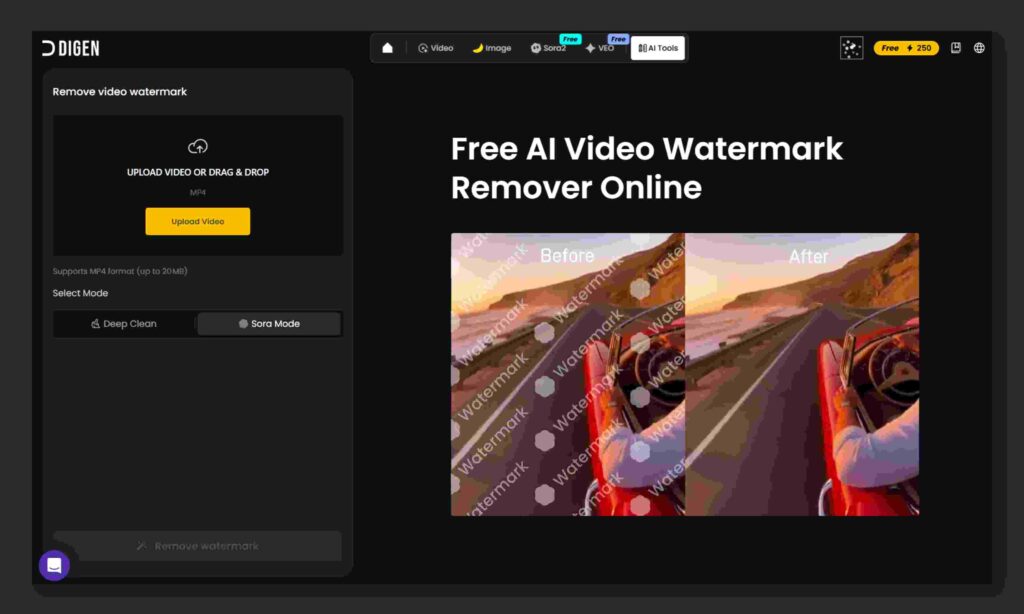
Digen AI has this nice free tool that removes the “Made with Sora” watermark from Sora 2 videos.
It’s really easy to use, just upload your video, wait a minute or two, and download the clean version without the watermark.
I’ve tried it on a bunch of clips, and it works great most of the time. The quality stays good, no blurry spots or weird stuff.
You don’t even need to sign up to use it. Perfect if you made a video directly on OpenAI’s Sora and want to share it without the logo.
If you’re already on Digen’s Unlimited Sora plan, their videos come out clean anyway, so you won’t need this much. But for any Sora video from outside, it’s a quick and free fix. I like it a lot!
Pricing Of Digen AI
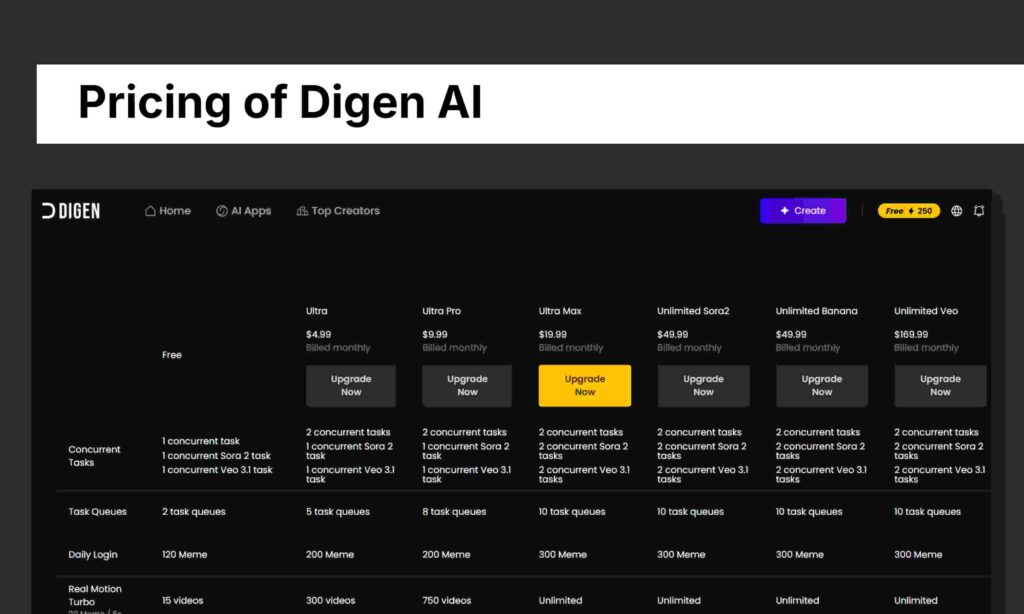
Digen.ai has a free plan that’s decent for trying things out, you get limited daily credits (like 120-150 memes) and only 15 videos on the basic model, with just 1 task at a time.
But if you want more, they have paid monthly plans starting cheap: Ultra ($4.99) and Ultra Pro ($8.99) give better limits, like 300-750 videos and faster queues. Ultra Max is $19.99 for even more.
The big ones are the Unlimited plans around $49 for unlimited Sora2 or Banana models, and $169 for Veo which remove all caps and let you generate as much as you want with the top models.
For casual use, free works fine, but if you’re making a lot of videos, the $49 unlimited tiers are worth it. Prices can change, so check the site for the latest.
Pros and Cons
I’ve made hundreds of videos on it, so here’s the real deal:
Pros:
- Completely free to start, no forced watermarks or low-quality locks.
- Super fast videos generate in seconds to minutes.
- Huge, active community for inspiration and easy remixing.
- Realistic animations and lip-sync that punch above many free tools.
- Mobile app works great, no need for a powerful computer.
Cons:
- Customer support is hit-or-miss; emails can go unanswered, and subscription issues (like double charges) pop up in reviews.
- Free tier has queues during peak times, and advanced features need premium.
- Video length is short (good for social, but not long-form).
- Quality can vary, sometimes animations look off if the prompt isn’t spot-on.
- Trustpilot score is low (around 2.5/5 from a few reviews), mostly complaints about billing and support.
It’s not perfect, but the pros outweigh the cons for free/hobby use.
5 Best Alternatives
If Digen doesn’t click for you, here are five solid options I’ve tried:
- HeyGen: Best for professional talking avatars and text-to-video. More polished for business, with lots of templates. Paid, but free trial.
- Synthesia: Great for custom avatars and scripted videos. Higher quality lip-sync, used by big companies. Starts pricey but reliable.
- Vidnoz AI: Free tier similar to Digen, good for quick avatars. Simple and fast.
- Pika Labs or Runway ML : More creative control for advanced animations, but steeper learning curve and often paid.
- CapCut (with AI tools): Free mobile editor with built-in AI effects; not pure generation like Digen, but integrates well for finishing videos.
Conclusion
I’ve stuck with Digen AI because it’s fun, free, and gets the job done without fuss. If you’re new to AI video or just want to make quick, shareable clips from photos, give it a try sign up and start experimenting.
It’s leveled up my content game without spending much and hope same can help you.